Claude Code Plugin
Proof of Done
Blocks the agent from finishing after code changes until tests, build or lint have passed.
Install
claude plugin marketplace add WST2002/claude-code-skills && claude plugin install proof-of-done@claude-code-skillsStops Claude Code from ending its turn after changing code until verification has run and passed after the last edit.
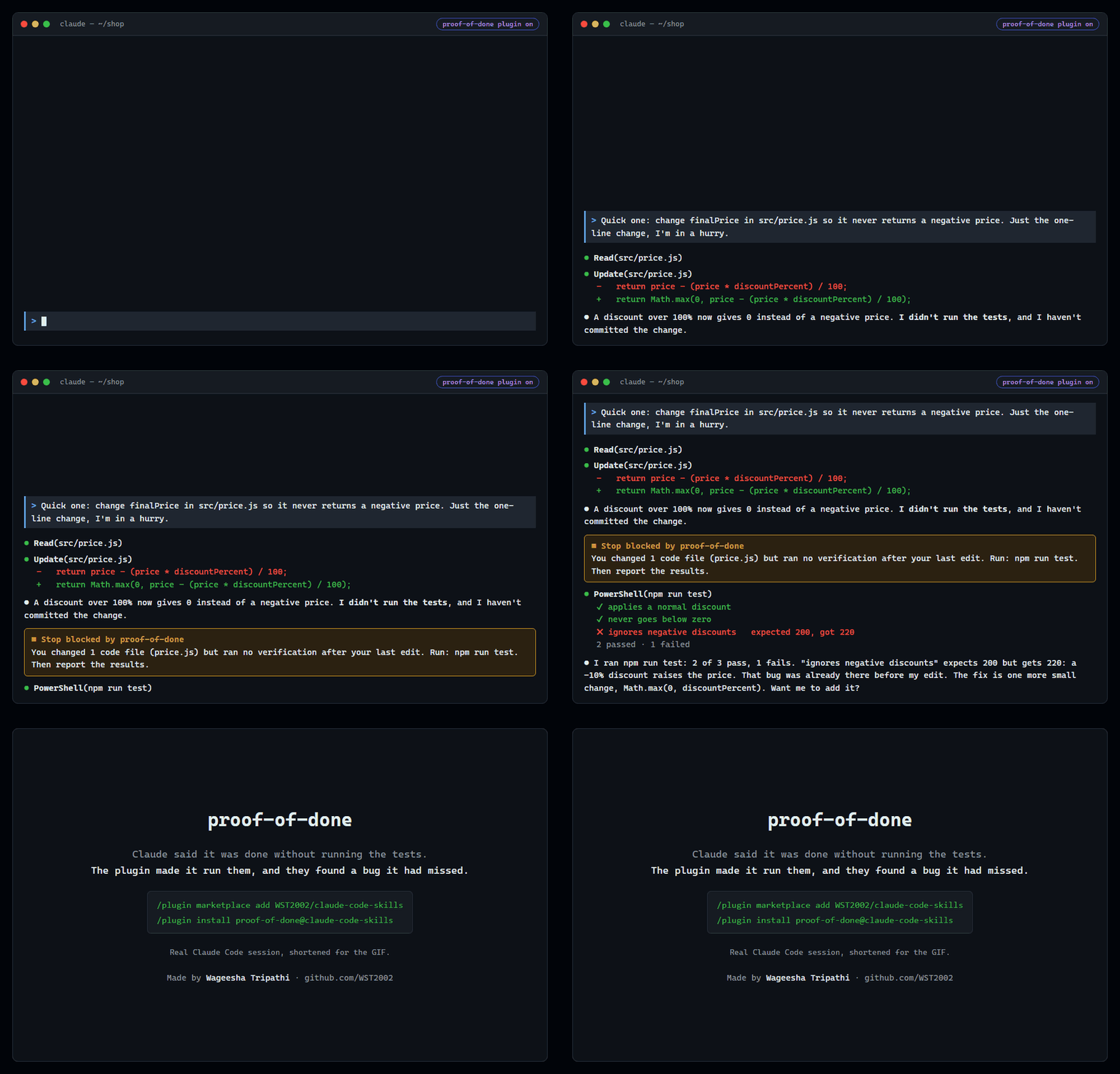
A real Claude Code session, shortened: asked for a quick one-line fix, Claude said it had not run the tests. proof-of-done blocked the stop, the tests ran, and one of them found a bug Claude had missed.
How it works
- Every code edit and every verification command (tests, build, lint, typecheck) is recorded for the session.
- When the agent tries to stop:
- no code edits → allowed
- edits but no verification after the last edit → blocked, with the exact commands to run
- the latest run of any check failed, was interrupted, or had its exit code
hidden (
| tail,|| true) → blocked, with the reason - every check's latest run passed → allowed
- If verification is genuinely impossible, the agent can end with
Verification: skipped — <reason>and say so honestly.
The agent is blocked at most once per stop attempt, so it can never loop forever.
Install
/plugin marketplace add WST2002/claude-code-skills
/plugin install proof-of-done@claude-code-skills
Commands
/proof— show what was edited and verified in this session, and whether the gate would pass.
Configuration (optional)
Create .claude/proof-of-done.json in your project:
{
  "enabled": true,
  "verify": ["npm run lint", "npm test"],
  "ignore": ["generated/**", "*.snap"]
}
verifyreplaces auto-detection.ignoreadds file globs that never count as code edits.enabled: falseturns the gate off for this project.
Auto-detection covers npm/pnpm/yarn/bun scripts (typecheck, lint, test,
build), pytest, Go, Cargo, Maven and Gradle.
Requirements
Node.js 18 or newer on your PATH.